



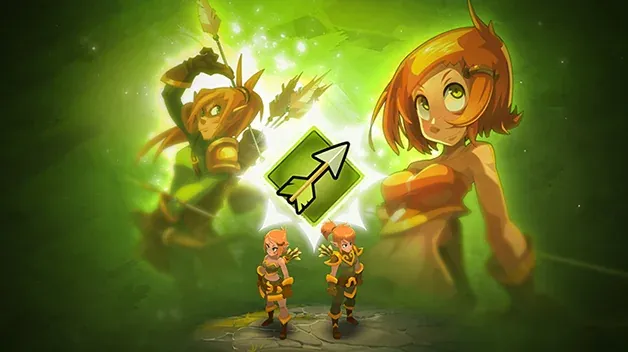
A list of classes can offer plenty of options without immediately helping you choose. The roles shown in the DOFUS encyclopedia provide a first vocabulary for comparing styles, but they are neither a ranking nor a personalised recommendation. To choose a character, start from the activities that appeal to you, read the information for the right version and keep the option of revisiting your decision after trying things out.
This guide shows how to use role categories as starting points. It does not offer a tier list and does not assume that the same class, the same ability or the same strategy exists identically in every version of Dofus or in a third-party project.
What the roles describe
The DOFUS class encyclopedia offers categories such as healing, damage, buffing, summoning, hindering, positioning, protection and tank. These words help identify an angle of reading: some descriptions suggest help given to allies, others pressure applied to an opponent or the way a situation is organised. They serve as navigation markers, not as a promise of what a class can do in every context.
Don’t reduce a class to a single label. A displayed category tells you about a role highlighted by the page you are viewing; on its own, it does not tell you how each ability works, who a character cooperates with best, or how it behaves after an update. If you are torn between two options, ask the same questions of each: what does the page highlight? What kind of action do I want to learn? What information am I missing before trying?
The goal is not to find a class reputed to be superior, but to understand what you would like to experience. A role that catches your attention can be a good starting point, even if you don’t yet know all the details. Simply keep a distinction between presentation vocabulary and the game’s actual rules.
Reading the official page
Open the class page from the publisher’s website and check the context: product, language and date accessed. The encyclopedia cited here concerns DOFUS. Use the headings it displays to guide your exploration, then look for more detailed descriptions if you want to understand specific actions. A category title does not necessarily explain a mechanic; don’t fill in the gaps with an assumption drawn from another game or an older version.
Encyclopedia pages are not always complete documentation of a recent change. To check whether a piece of information may have changed, also consult the DOFUS update notes. Identify the date, the product and the scope of each note. A change announced for a specific version should not be generalised to all versions, and a news item that mentions a class does not replace a description of its abilities.
When you use a community resource, check that it cites a version and distinguishes facts from opinions. A guide may explain a way of playing its author enjoys; that does not turn the strategy into a universal rule. An old screenshot or an undated list can help you find a name, but it is not enough to choose based on current information.
Choosing based on your playstyle
Describe what you enjoy before comparing characters. Do you want to observe and plan, focus on direct actions, provide support, organise space or discover different tools? These questions don’t determine a specific class; they help you read the encyclopedia’s categories according to your own preferences rather than following a hierarchy designed by someone else.
Make a short list of two or three options and note, for each, what appeals to you and what you don’t yet understand. Go through their pages using the same method. If a category seems to match your taste, look for a more detailed explanation from the relevant product and version. If the vocabulary doesn’t speak to you, start with the general description and come back to the categories afterwards; you don’t need to know the jargon before you can choose.
Also take your context into account: do you play alone or with friends, do you like learning gradually, do you prefer exploring a single character or comparing several options? The answers will help you formulate the questions to ask, but they don’t guarantee that a class will be easy, effective or suited to any team. Preferences change as you discover what the game has to offer.
For a first journey, the Dofus 3 beginner’s guide offers other pointers for reading and finding help. Keep the encyclopedia open next to your notes so you can check that every piece of advice you read still concerns the same product.
Testing and revising your decision
Once you’ve made your choice, set yourself a small learning goal: understand one element of the page, spot an action in the game or see whether the style suits you. After a few attempts, note what is enjoyable, what needs more explanation and what doesn’t match your expectations. A personal impression is a valid reason to change; it doesn’t need to be justified by a ranking.
If your experience doesn’t match the description, first check the product and version. It may be a change made since publication, a particular context or a resource that doesn’t concern your client. Consult the relevant announcements and notes, then look for an up-to-date source. Don’t conclude from a single attempt that an entire category is useless, nor from one good game that a class will always perform well.
Finally, DOFUS information does not automatically confirm how another game or a third-party server works. Togu is a private server not affiliated with Ankama. Consult the FAQ and the rules published for the service concerned; if a mechanic is not described there, consider it unestablished rather than assuming it is identical. Roles are a way to ask better questions, not a verdict that chooses for you.