



Starting a game full of menus and vocabulary can make it feel as if you need to understand everything before taking a first step. You don’t. To discover Dofus, pick a nearby goal, watch for the useful information on screen and look for a source that matches the product you are actually using. Ankama’s pages can help you find your way, but a general page does not replace the rules and tutorials for the version in question.
This guide offers a starting method rather than a progression path: updates can change interfaces and rules. It does not assume that the same mechanics apply to every version or to every third-party project.
Choosing and understanding your character
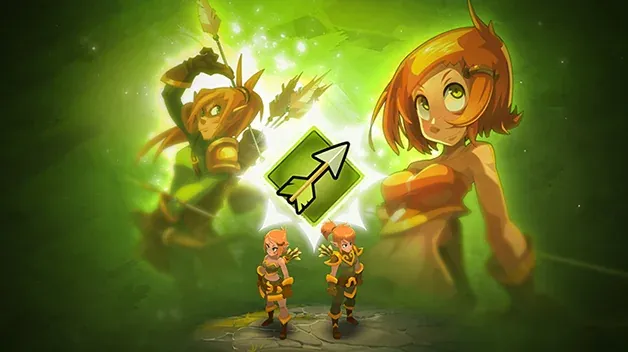
When creating or choosing a character, start by reading the description offered in the game and ask yourself which role you would like to explore. The DOFUS classes page lets you browse the classes and shows role families such as healing, damage, buffing, summoning, hindering, positioning, protection and tank. This is orientation vocabulary, not a quality score or a ranking of characters.
Choose a class whose possibilities you are eager to learn. If you prefer supporting a group, look at the information related to healing or protection; if you enjoy organising movement or hampering an opponent, the corresponding categories can help you explore. These associations are only initial leads. The encyclopedia alone cannot tell you exactly how a class plays in every situation, which combination you will enjoy or which character is easiest for you.
Before committing, check the descriptions in the client you use and the resources that match its version. Dated guides may mention abilities or interfaces that have changed since they were published. Avoid choosing solely based on a tier list: it often reflects a version, a mode, a level or preferences that its author should specify. For more detail on role categories and choice questions, continue with the guide reading class roles.
If you are also torn between the activities offered by a server, the guide choosing a server based on your PVM or PVP style helps you compare that information separately from choosing a class.
Reading the interface
A game interface becomes easier to understand when you read it according to need. First, identify the elements that tell you where you are, what you can do next and how to open help or settings. Don’t try to memorise every icon at once: after an action, watch which panels change and which ones give a confirmation. If a button or indicator is unclear, look up its label in the product’s help rather than randomly trying an action that might change a setting or an item.
Official tutorials can offer a concrete starting point. For example, the page “Moving Around” belongs to the DOFUS Touch documentation and covers movement. It shows that getting-started resources exist, but its instructions concern Touch: they should not be automatically transposed to DOFUS on computer or to another project’s version. Always check the product name, language, context and date before following a procedure.
To learn more calmly, make one discovery at a time: locate a command, understand a window, then return to your goal. If the layout differs from a tutorial’s, set it aside and look for a resource that matches your screen. A tutorial that does not apply does not mean you did something wrong; it may simply concern another product or an earlier interface.
Understanding a first encounter
Before a first encounter or fight, read what the game displays and set a simple intention: discover the available actions, understand the order of events or observe how your character responds. Take the time to check the on-screen indications before confirming an action. If you play with others, ask how the group prefers to organise itself rather than assuming everyone follows the same strategy.
After the encounter, go back over one specific point: what information helped you, which effect did you not understand, or which part of the interface surprised you? Then look for a targeted explanation in the resources for the right version. This method avoids mixing advice meant for different characters, modes or updates. It does not assert any particular rule about turns, effects or rewards: for a specific mechanic, only matching, dated documentation can establish it.
You can also note the product name, its version if displayed, the label of the action and the question you have. These details make a request for help easier to understand without having to share private information. Never send a password, token or account data to get a gameplay explanation.
Finding a reliable answer
Start with the pages published by the product’s publisher: encyclopedia, tutorials, rules, news and patch notes. The DOFUS News section is useful in particular for spotting announcements and their dates. A news item shows what Ankama has published; it does not guarantee that every gameplay detail is explained in the announcement, nor that older information is still valid.
To judge a resource, ask four questions: which product does it describe? When was it published or revised? Does it cite a specific rule or express an opinion? Does it point to verifiable documentation? If the content concerns DOFUS Touch, treat it as a Touch source, even if some topics seem close to those of DOFUS on computer. If a piece of information cannot be confirmed, keep it as a question rather than repeating it as a certain rule.
Forums and player guides can be useful for understanding someone’s experience or finding the name of a feature. They are not automatically the most recent or most general source. Compare their date, version and context with the publisher’s pages; if they contradict each other, do not turn an isolated tip into a universal fact.
To go further, see the guides hub, the FAQ and the Togu rules. Togu is a private server not affiliated with Ankama. The rules of a Togu project, when published, should be read separately from the official game’s rules: a DOFUS resource alone does not prove how another service works.